analyze
Analyze the result from
simulate()orsimulate_mc()
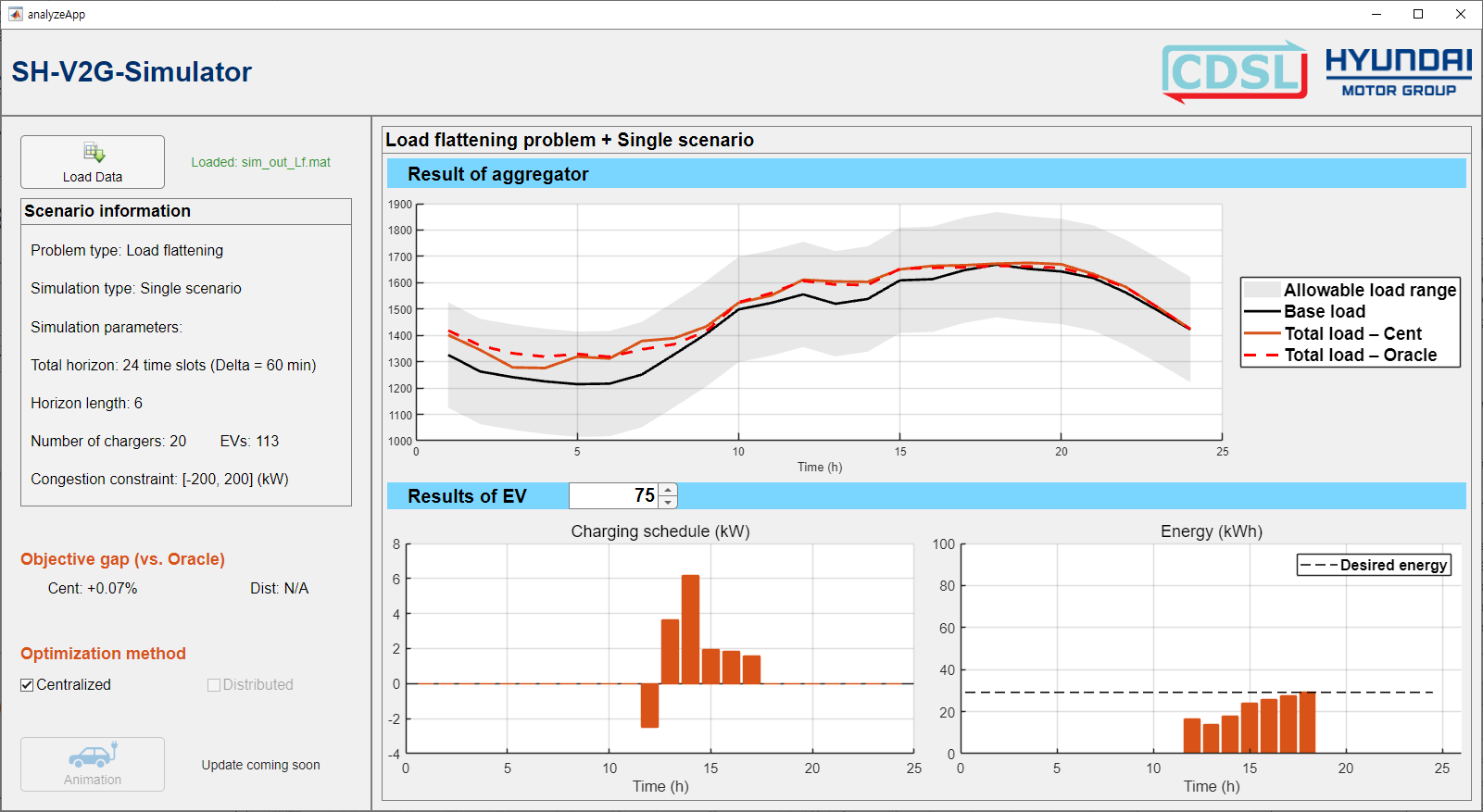
Description
The Analyze App lets users analyze the result data of simulate() or simulate_mc(). Using this app, users can:
visualize various performance metrics such as charging power, energy level, and aggregated power through interactive plots.
evaluate the grid-level performance.
evaluate the user-level performance, especially in terms of each user’s preference fulfillment.
compare centralized and distributed scheduling methods under identical simulation settings.
examine the average effects across multiple scenarios through statistical analysis.
Programmatic Use
analyze()
analyze()opens the Analyze App without loading any result data. To analyze the result of simulate() or simulate_mc(), click Load Data within the app and select the desired system data file.
analyze(data=data)
analyze(data=data) opens the Analyze App and loads the specified data structure into the app. Use this syntax when the system data is already available in the MATLAB workspace.
analyze(file=file)
analyze(file=file) opens the Analyze App and loads the result data stored in file located in the current working directory.
analyze(file=file,path=path)
analyze(file=file,path=path) opens the Analyze App and loads the result data stored in file located in the specified folder path.